 MyMemo
How to Import from Pocket to MyMemo AI?
Pocket officially shut down on July 8, 2025, and only the Pocket Web data export page will remain available until October 8, 2025. Here is how to bring your saved articles into MyMemo before the door closes.
Hi there,
We’re excited to let you know that the Mymemo AI’s Pocket Import feature is now available! 🎉 👉 You can now seamlessly import your saved Pocket data into Mymemo AI and keep enjoying AI-powered organization and memory assistance.
⚠️ Reminder: Pocket officially shut down on July 8, 2025, and only the Pocket Web data export page will remain available until October 8, 2025. If you haven’t exported your data yet, now is the perfect time!
Try the import feature today and make sure your valuable knowledge is safely stored in Mymemo AI!
How to Import from Pocket to Mymemo AI?
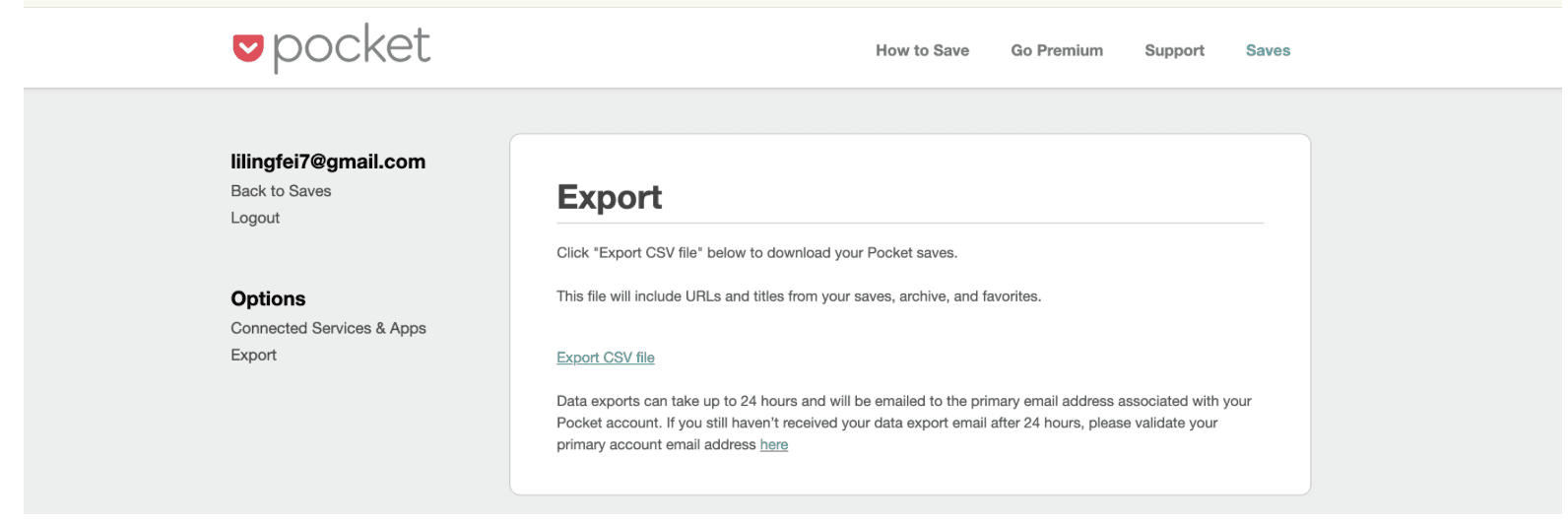
- Export from Pocket
Go to your Pocket account, find Export, and request an export. You’ll receive an email with a
.zipfile (this is your export file).
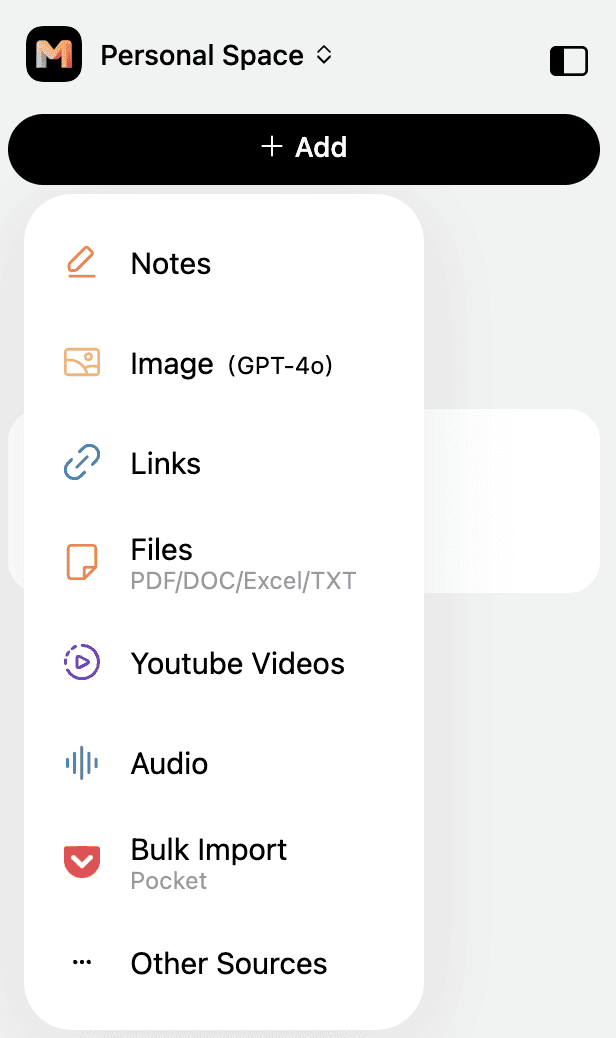
- Go to MyMemo AI Open MyMemo AI (web) at https://app.mymemo.ai, click Add → Bulk Import (Pocket).
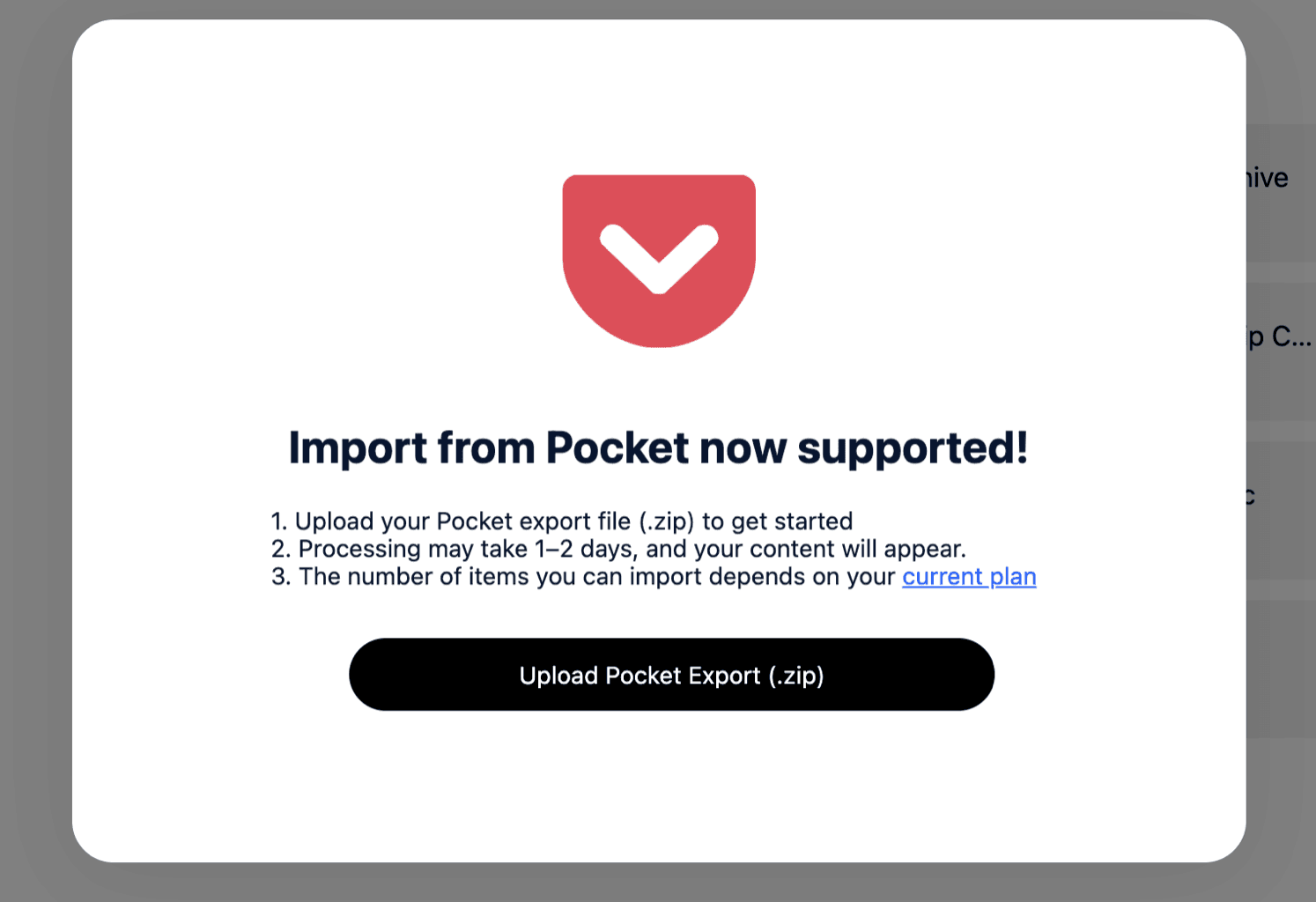
- Upload the file
Upload the
.zipfile you received from Pocket (no need to unzip).
-
Processing You’ll see a success message after upload. Processing may take some time.
-
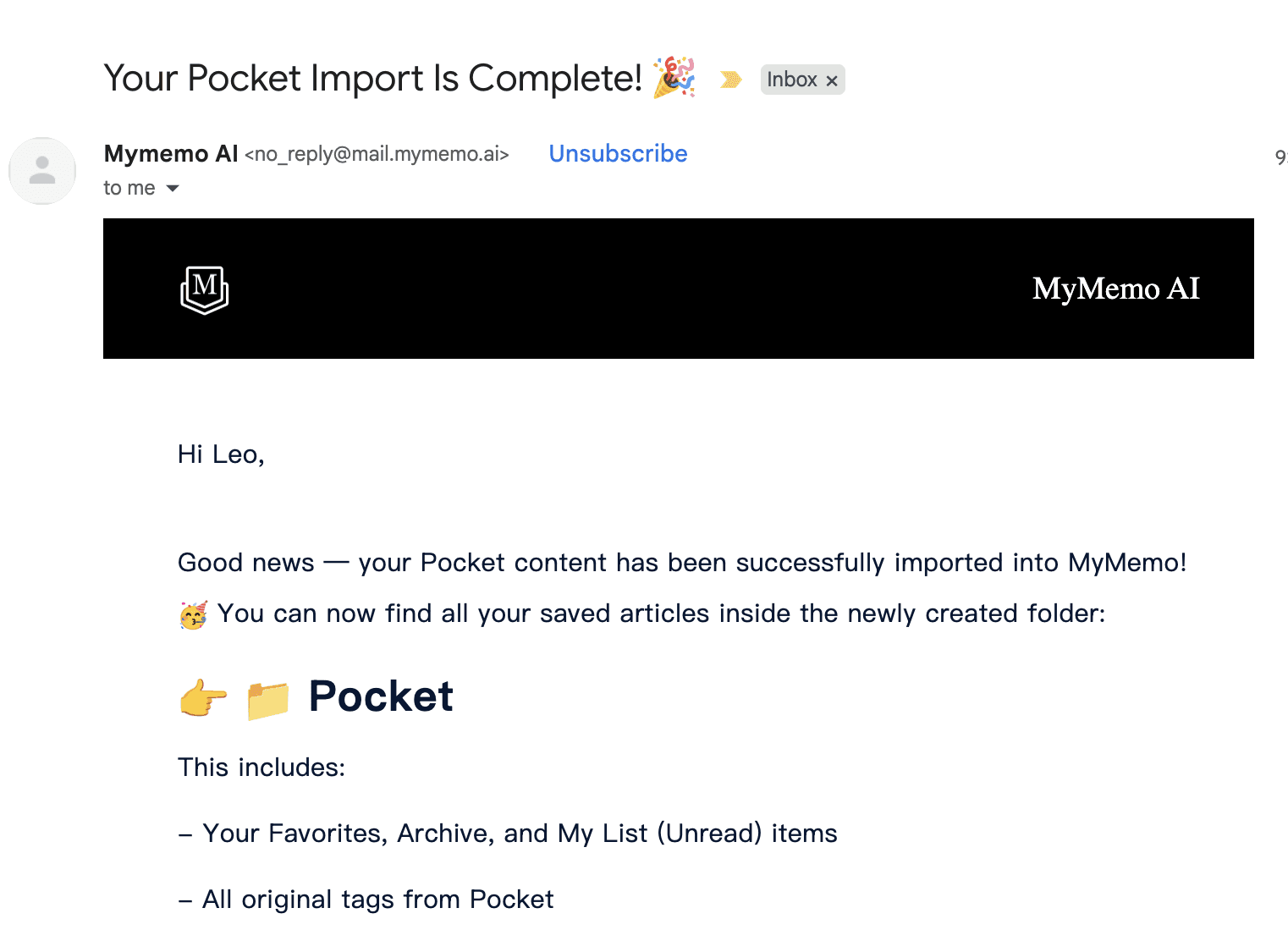
Completion Email When it’s done, you’ll get a confirmation email from MyMemo.
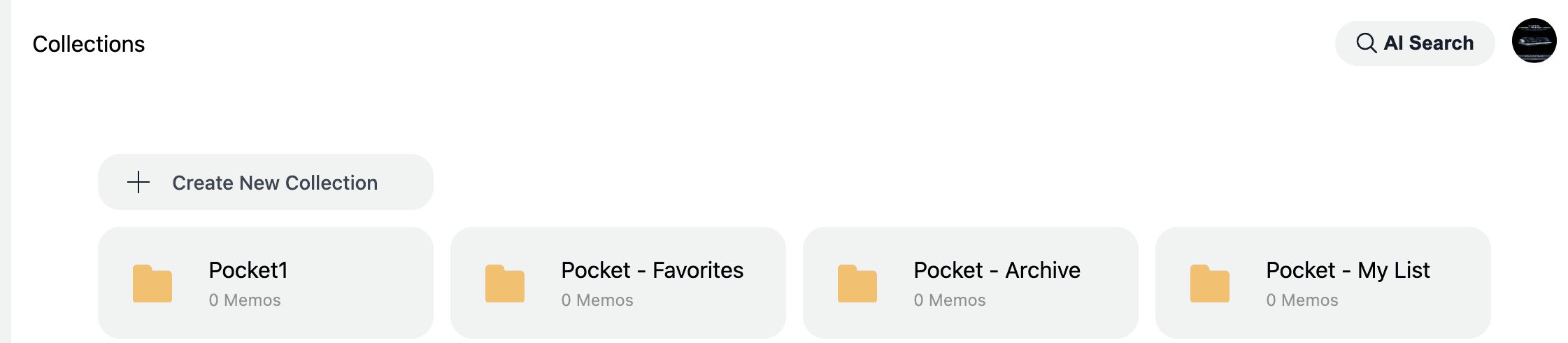
- Check Collections Go back to MyMemo → Collections. You should now see new Pocket folders with your imported items.
If you have any questions, please email us at support@mymemo.ai.
Originally published at https://mymemo.ai/blog/how-to-import-from-pocket-to-mymemo/detail.